一个困惑很久的问题
当 netplan apply 将/etc/netplan下的配置render给systemd-networkd服务后,配置文件将产生在/run/systemd/network/目录下.而/run/目录和/tmp一样是临时目录,系统重启后文件就丢失了,那么systemd-networkd是如何做到又召回原先在/run/systemd/network/下的配置呢?
df |grep "\/run"
tmpfs             1637208      1048   1636160   1% /run
tmpfs                5120         0      5120   0% /run/lock
tmpfs             1637204         4   1637200   1% /run/user/1000
ls -l /run/systemd/network/
total 12
-rw-r----- 1 root root             80 Jan 18 22:21 10-netplan-enp0s3.link
-rw-r----- 1 root systemd-network 139 Jan 18 22:21 10-netplan-enp0s3.network
-rw-r----- 1 root systemd-network  82 Jan 18 22:21 10-netplan-enp0s8.network
尝试查询有没有一个叫netplan的服务早于systemd-networkd?实际上并没有
systemctl list-units --no-pager |grep netplan
systemctl list-units --no-pager |grep network
  cloud-init-local.service                                                            loaded active exited    Cloud-init: Local Stage (pre-network)
  networkd-dispatcher.service                                                         loaded active running   Dispatcher daemon for systemd-networkd
  systemd-networkd-wait-online.service                                                loaded active exited    Wait for Network to be Configured
  systemd-networkd.service                                                            loaded active running   Network Configuration
  systemd-networkd.socket                                                             loaded active running   Network Service Netlink Socket
  network-online.target                                                               loaded active active    Network is Online
  network-pre.target                                                                  loaded active active    Preparation for Network
  network.target                                                                      loaded active active    Network
journalctl -b | grep netplan
Jan 18 22:18:23 u22 systemd[1]: Configuration file /run/systemd/system/netplan-ovs-cleanup.service is marked world-inaccessible. This has no effect as configuration data is accessible via APIs without restrictions. Proceeding anyway.
Jan 18 22:18:50 u22 systemd[1]: Configuration file /run/systemd/system/netplan-ovs-cleanup.service is marked world-inaccessible. This has no effect as configuration data is accessible via APIs without restrictions. Proceeding anyway.
Jan 18 22:18:50 u22 systemd-networkd[675]: enp0s3: Re-configuring with /run/systemd/network/10-netplan-enp0s3.network
Jan 18 22:18:50 u22 systemd-networkd[675]: enp0s8: Re-configuring with /run/systemd/network/10-netplan-enp0s8.network
Jan 18 22:18:50 u22 systemd-networkd[675]: enp0s8: Re-configuring with /run/systemd/network/10-netplan-enp0s8.network
Jan 18 22:18:50 u22 systemd-networkd[675]: enp0s3: Re-configuring with /run/systemd/network/10-netplan-enp0s3.network
Jan 18 22:19:50 u22 systemd[1]: Configuration file /run/systemd/system/netplan-ovs-cleanup.service is marked world-inaccessible. This has no effect as configuration data is accessible via APIs without restrictions. Proceeding anyway.
Jan 18 22:20:56 u22 systemd[1]: Configuration file /run/systemd/system/netplan-ovs-cleanup.service is marked world-inaccessible. This has no effect as configuration data is accessible via APIs without restrictions. Proceeding anyway.
Jan 18 22:20:57 u22 systemd[1]: Configuration file /run/systemd/system/netplan-ovs-cleanup.service is marked world-inaccessible. This has no effect as configuration data is accessible via APIs without restrictions. Proceeding anyway.
Jan 18 22:21:00 u22 systemd[1]: Configuration file /run/systemd/system/netplan-ovs-cleanup.service is marked world-inaccessible. This has no effect as configuration data is accessible via APIs without restrictions. Proceeding anyway.
Jan 18 22:21:00 u22 systemd[1]: Configuration file /run/systemd/system/netplan-ovs-cleanup.service is marked world-inaccessible. This has no effect as configuration data is accessible via APIs without restrictions. Proceeding anyway.
Jan 18 22:30:32 u22 systemd[1]: Configuration file /run/systemd/system/netplan-ovs-cleanup.service is marked world-inaccessible. This has no effect as configuration data is accessible via APIs without restrictions. Proceeding anyway.
root@u22:~# ls -l /etc/netplan/
total 8
-rw------- 1 root root 509 Sep  8 18:50 50-cloud-init.yaml
-rw-r--r-- 1 root root 115 Jan 18 22:18 50-vagrant.yaml
root@u22:~# cat /etc/netplan/50-cloud-init.yaml
# This file is generated from information provided by the datasource.  Changes
# to it will not persist across an instance reboot.  To disable cloud-init's
# network configuration capabilities, write a file
# /etc/cloud/cloud.cfg.d/99-disable-network-config.cfg with the following:
# network: {config: disabled}
network:
    ethernets:
        enp0s3:
            dhcp4: true
            dhcp6: true
            match:
                macaddress: 02:29:1e:73:1f:d5
            set-name: enp0s3
    version: 2
root@u22:~# cat /etc/netplan/50-vagrant.yaml
---
network:
  version: 2
  renderer: networkd
  ethernets:
    enp0s8:
      addresses:
      - 192.168.55.220/24
root@u22:~#
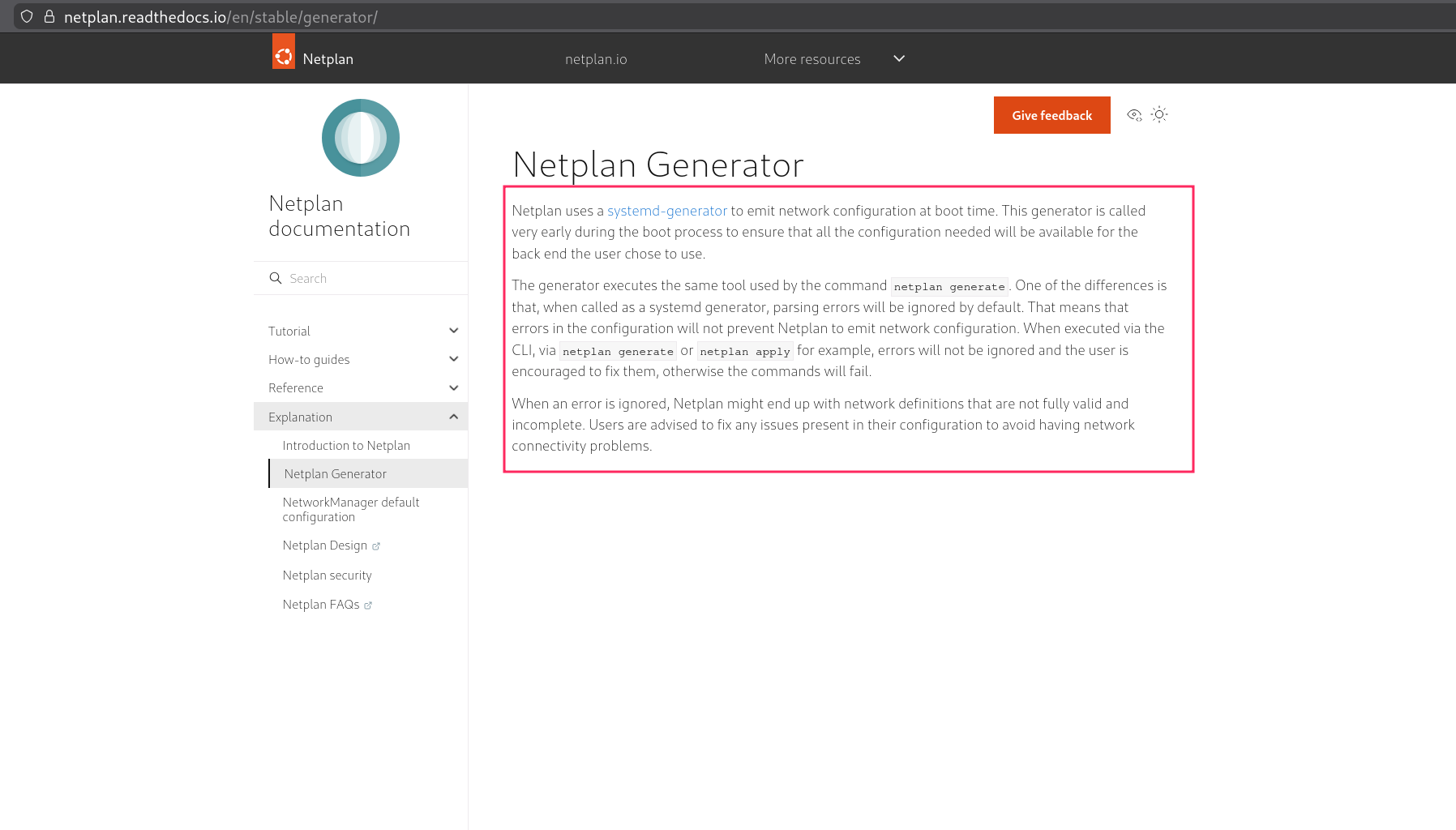
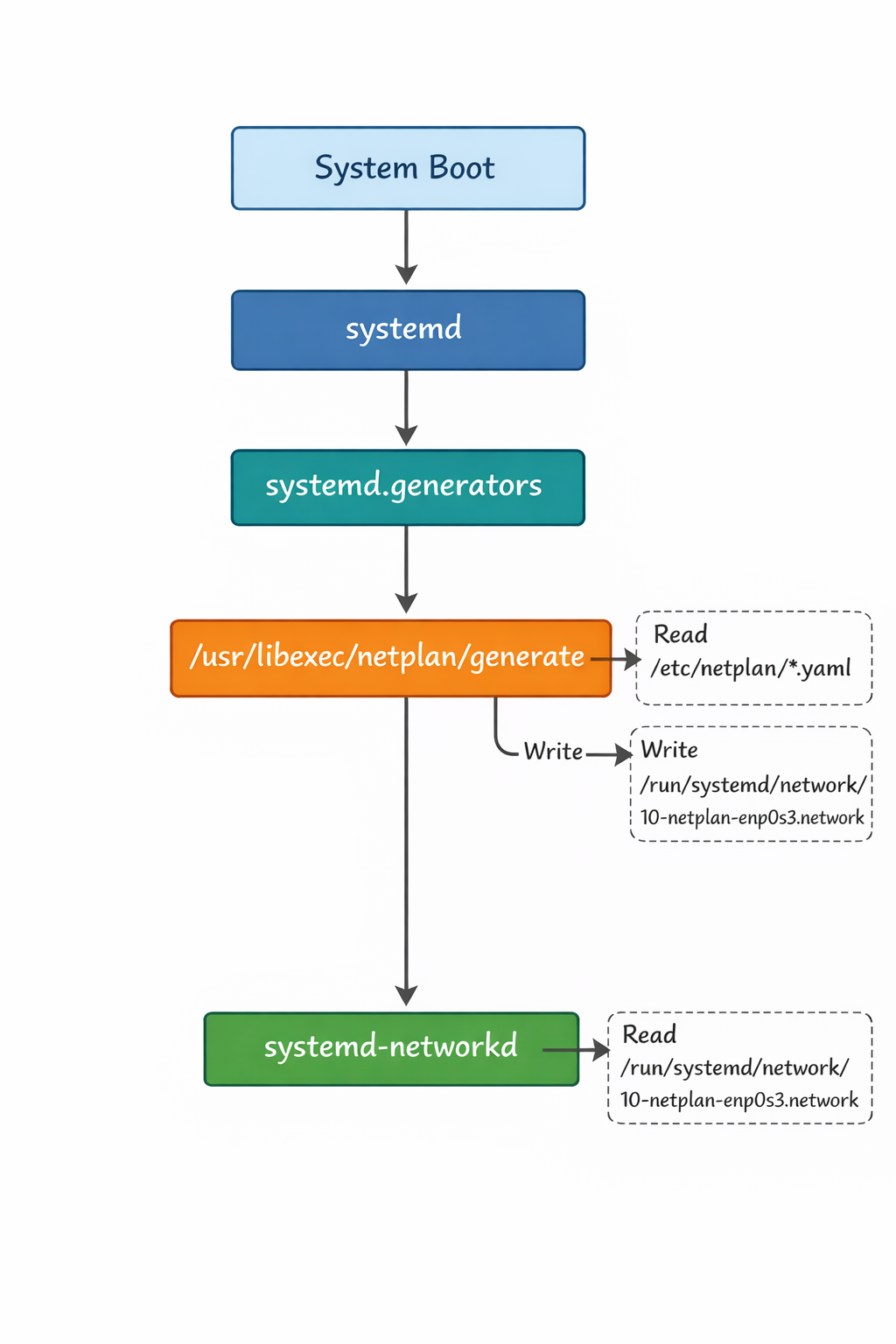
答案是systemd.generator
- https://www.freedesktop.org/software/systemd/man/latest/systemd.generator.html
- https://manpages.debian.org/testing/systemd/systemd.generator.7.en.html
root@u22:~# ls -l /usr/lib/systemd/system-generators/
total 504
-rwxr-xr-x 1 root root   3094 Jun 10  2025 cloud-init-generator
-rwxr-xr-x 1 root root    286 Jun 21  2019 friendly-recovery
-rwxr-xr-x 1 root root 151128 Nov 28  2024 lvm2-activation-generator
lrwxrwxrwx 1 root root     29 Jun 29  2024 netplan -> /usr/libexec/netplan/generate
-rwxr-xr-x 1 root root  22840 Oct 20  2022 rpc-pipefs-generator
-rwxr-xr-x 1 root root  26776 Jan 16  2025 snapd-generator
-rwxr-xr-x 1 root root  14640 Jun  4  2025 systemd-bless-boot-generator
-rwxr-xr-x 1 root root  35336 Jun  4  2025 systemd-cryptsetup-generator
-rwxr-xr-x 1 root root  14784 Jun  4  2025 systemd-debug-generator
-rwxr-xr-x 1 root root  39424 Jun  4  2025 systemd-fstab-generator
-rwxr-xr-x 1 root root  18728 Jun  4  2025 systemd-getty-generator
-rwxr-xr-x 1 root root  35120 Jun  4  2025 systemd-gpt-auto-generator
-rwxr-xr-x 1 root root  14776 Jun  4  2025 systemd-hibernate-resume-generator
-rwxr-xr-x 1 root root  14632 Jun  4  2025 systemd-rc-local-generator
-rwxr-xr-x 1 root root  14768 Jun  4  2025 systemd-run-generator
-rwxr-xr-x 1 root root  14632 Jun  4  2025 systemd-system-update-generator
-rwxr-xr-x 1 root root  35192 Jun  4  2025 systemd-sysv-generator
-rwxr-xr-x 1 root root  31176 Jun  4  2025 systemd-veritysetup-generator
root@u22:~# ls -l /usr/libexec/netplan/
total 60
-rwxr-xr-x 1 root root 23048 Jun 29  2024 generate
-rwxr-xr-x 1 root root 35360 Jun 29  2024 netplan-dbus
/usr/libexec/netplan/generate = netplan apply
大概的流程
官方文档